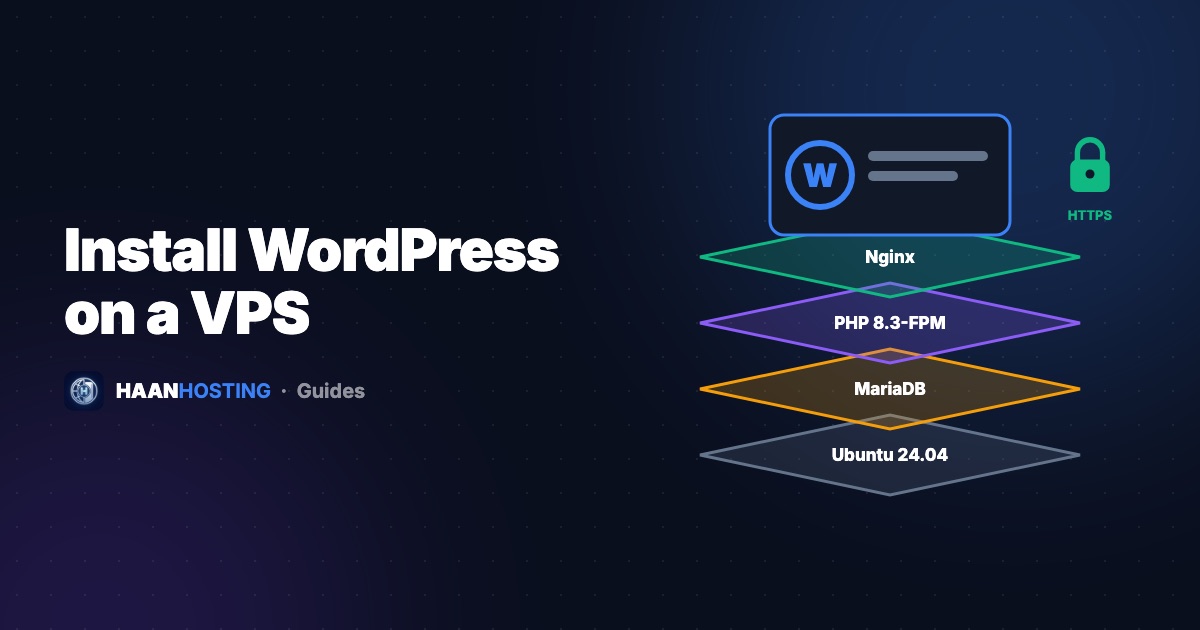
Running WordPress on your own VPS instead of shared hosting gives you dedicated resources, full control and much better performance under traffic. This step-by-step tutorial installs WordPress on Ubuntu 24.04 using the LEMP stack (Linux, Nginx, MariaDB, PHP), then secures it with a free SSL certificate. Budget about 30 minutes.
Before you start
- A VPS running Ubuntu 24.04 with at least 2 cores and 4 GB RAM
- A domain name with an A record pointing to your VPS IP (for example
example.com→203.0.113.10) - A sudo user and a firewall allowing ports 80 and 443. If you haven't done this yet, follow our 10 first steps for a new VPS.
Step 1: Install Nginx
sudo apt update
sudo apt install nginx -y
sudo systemctl enable --now nginx
Visit http://your-server-ip. You should see the "Welcome to nginx" page.
Step 2: Install MariaDB and create a database
sudo apt install mariadb-server -y
sudo mysql_secure_installation
Answer the prompts: set a root password if asked, remove anonymous users, disallow remote root login and remove the test database. Then create a database and user for WordPress:
sudo mysql
CREATE DATABASE wordpress DEFAULT CHARACTER SET utf8mb4 COLLATE utf8mb4_unicode_ci;
CREATE USER 'wpuser'@'localhost' IDENTIFIED BY 'Use-A-Strong-Password-Here';
GRANT ALL PRIVILEGES ON wordpress.* TO 'wpuser'@'localhost';
FLUSH PRIVILEGES;
EXIT;
Step 3: Install PHP and the extensions WordPress needs
sudo apt install php-fpm php-mysql php-curl php-gd php-mbstring php-xml php-zip php-intl php-imagick -y
php -v   # Ubuntu 24.04 ships PHP 8.3
Step 4: Download WordPress
cd /tmp
wget https://wordpress.org/latest.tar.gz
tar -xzf latest.tar.gz
sudo mv wordpress /var/www/example.com
sudo chown -R www-data:www-data /var/www/example.com
Step 5: Configure Nginx for your site
Create /etc/nginx/sites-available/example.com:
server {
    listen 80;
    server_name example.com www.example.com;
    root /var/www/example.com;
    index index.php index.html;
    client_max_body_size 64M;

    location / {
        try_files $uri $uri/ /index.php?$args;
    }

    location ~ \.php$ {
        include snippets/fastcgi-php.conf;
        fastcgi_pass unix:/run/php/php8.3-fpm.sock;
    }

    location ~* \.(jpg|jpeg|png|gif|webp|svg|css|js|woff2)$ {
        expires 30d;
        access_log off;
    }

    location ~ /\.ht { deny all; }
}
sudo ln -s /etc/nginx/sites-available/example.com /etc/nginx/sites-enabled/
sudo nginx -t
sudo systemctl reload nginxStep 6: Install a free SSL certificate
sudo apt install certbot python3-certbot-nginx -y
sudo certbot --nginx -d example.com -d www.example.com
Certbot gets a free Let's Encrypt certificate, configures HTTPS and sets up automatic renewal. More details are in our free SSL certificate guide.
Step 7: Run the WordPress installer
Open https://example.com in your browser. Choose your language, then enter the database name (wordpress), user (wpuser), password and host (localhost). Create your admin account, and choose a username other than "admin".
Step 8: Tune performance
- Page caching: Install a caching plugin (for example WP Super Cache or W3 Total Cache) or use Nginx FastCGI cache.
- Object cache:
sudo apt install redis-server php-redisand enable a Redis object-cache plugin. It's a big win for WooCommerce. - PHP-FPM: Increase
pm.max_childrenin/etc/php/8.3/fpm/pool.d/www.confon larger servers. - Images: Serve WebP and lazy-load images. WordPress lazy-loads by default.
Post-install security checklist
- HTTPS working and HTTP redirecting to HTTPS
- Admin username is not "admin", with a strong password and 2FA plugin
- Plugins and themes only from wordpress.org or trusted vendors
- Automatic updates for minor WordPress releases
- Daily off-server backups (database + wp-content)
- Fail2ban and UFW enabled on the server
Prefer not to manage a server? Our cPanel web hosting includes 1-click WordPress, free SSL and daily backups. Not sure which you need? Read shared hosting vs VPS.
Host WordPress on NVMe
Cloud VPS with 4 cores, 8 GB RAM and 50 GB NVMe, plenty for several WordPress sites, from $11.99/mo.
Get a WordPress VPSFrequently Asked Questions
Yes. A VPS gives WordPress dedicated CPU, RAM and storage, so it stays fast under traffic and you can add caching like Redis that shared hosting may not allow.
A single WordPress site runs well on 2–4 GB. WooCommerce or several sites are more comfortable with 8 GB or more.
Both work. Nginx is lightweight and very efficient at serving static files and handling many connections, which makes it a popular choice on VPS servers.
Written by Tech Team
The HAAN HOSTING team deploys and supports VPS, Windows RDP and web hosting servers for customers in 20+ countries. Our guides are based on the questions we answer every day in support.